
Quick Answer
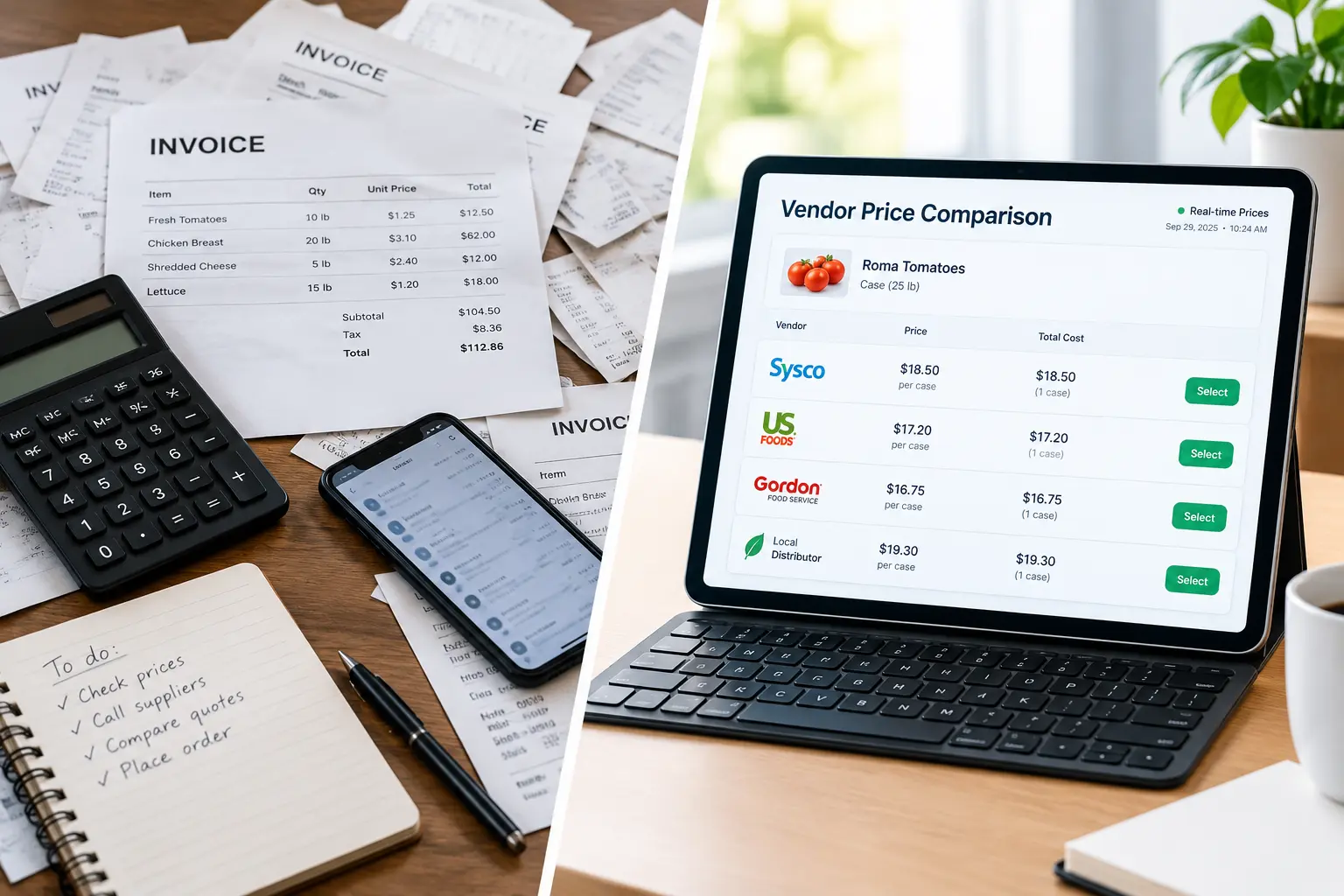
Your restaurant needs real-time supplier price comparison if your food cost percentage keeps rising, you buy from the same vendors out of habit, price checking eats up your team’s hours, your menu prices no longer match your ingredient costs, or price spikes and shortages keep surprising you. Supplier price comparison means viewing live pricing from multiple vendors side by side, so you can buy the right product at the right price before costs hit your margins.
Introduction
Restaurant margins are razor-thin. Industry benchmarks commonly put profit at just 3-5% of sales, while food costs often take 28-35% of revenue. That’s a tiny cushion! When chicken, produce, or olive oil jumps overnight, you feel it immediately.
Supplier price comparison is one of the fastest ways to protect that cushion, yet I still meet owners and chefs who compare vendors the old way: a stack of invoices, a few phone calls, and a “that sounds about right” gut check. Sound familiar? If so, you may be leaving real money on the table every single week.
In this guide, we’ll walk through five clear signs that it’s time to move to real-time pricing. You’ll also learn how it protects your food cost percentage, how to get started without overhauling your kitchen, and which mistakes to avoid. Let’s dig in.
What Is Real-Time Supplier Price Comparison (and Why Does It Matter)?
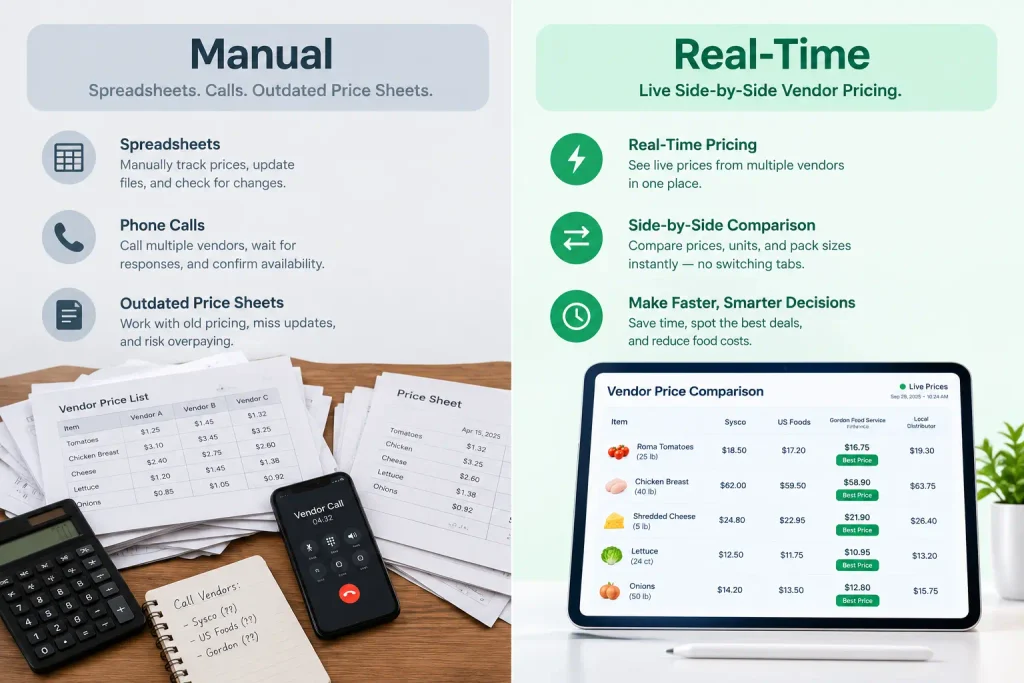
In plain English, real-time supplier price comparison means seeing current pricing from multiple vendors in one place, so you can compare like for like before you place an order. No more waiting for a weekly price sheet that’s already out of date.
Here’s how it differs from the old approach:
- Manual comparison: spreadsheets, phone calls, emailed price lists, and invoice digging. It’s slow, and it’s outdated the moment you finish.
- Real-time comparison: live vendor pricing on the products you actually buy, so you can see price gaps and trends as they happen.
It matters because it touches almost everything in your operation: food cost control, inventory management, recipe costing, and menu pricing. Prices for produce, proteins, dairy, and dry goods can swing week to week, and static price lists simply can’t keep up. If you want a closer look at how side-by-side price comparison works for foodservice buyers, start there.
Sign #1: Your Food Costs Keep Creeping Up and You Can’t Pinpoint Why
Is your food cost percentage drifting upward month after month, with no obvious explanation? That’s the classic warning sign.
Often the culprit is a slow drip of small price increases. A few cents here, a new surcharge there. Individually, they look harmless, but together they chip away at your margin. They’re easy to miss because they hide in invoices nobody has time to audit line by line.
Monthly or quarterly reviews also catch problems too late. By the time you spot a jump, you’ve already paid it for weeks. Live price tracking flags increases the moment they happen, so you can switch products, shift vendors, or push back right away.
Not sure whether it’s happening to you? Here’s a practical look at how to tell if you’re overpaying your food distributor.
Sign #2: You’re Buying from the Same Vendors Out of Habit
“We’ve always used them.” I hear it all the time! Loyalty is great, but habit isn’t a purchasing strategy.
When you only buy from one or two distributors, you lose leverage. The same SKU can carry noticeably different prices across vendors, and without a side-by-side view you’d never know. Even a small gap on a high-volume item adds up fast over a year.
Supplier price comparison gives you the facts to act on:
- Spot price differences on identical or equivalent products
- Check the categories that usually move the most first: proteins, produce, dairy, and packaging
- Walk into vendor conversations with real numbers instead of hunches
That last point is huge. Data changes the tone of a negotiation, and these tips on how to negotiate food distributor prices show how to use it.
Sign #3: Price Checking Eats Up Hours of Your Team’s Week
Take a moment and tally up how many hours your chef, kitchen manager, or owner spends each week on calls, emails, and spreadsheet updates. Now multiply that by their hourly cost. Painful, right?
Manual purchasing carries a hidden labor cost. It also invites mistakes: outdated price sheets, mismatched pack sizes, and typos that turn into expensive orders.
Automation hands that time back. Your team can focus on what actually builds your reputation, such as food quality, staff training, and the guest experience. If you’re weighing options, a dedicated restaurant vendor price comparison tool can replace the spreadsheet shuffle with a single view of what each supplier charges.
Sign #4: Your Menu Prices and Margins Don’t Match Your Ingredient Costs
Here’s a scary one: some of your menu items may be quietly losing money. When ingredient costs shift but menu prices stay put, margins shrink without anyone noticing.
Connecting live ingredient pricing to recipe costing and menu engineering closes that gap. With current costs in hand, you can decide:
- Reprice a dish when costs rise for good
- Swap an ingredient or supplier to hold the price point
- Run a special to move inventory while prices are favorable
The goal is to protect your best sellers. A popular dish with a shrinking margin is a bigger problem than an unpopular one, because every order costs you more. Reviewing ingredient costs regularly keeps your menu profitable instead of just busy.
Sign #5: Supply Chain Surprises Keep Catching You Off Guard
Sudden shortages. Last-minute substitutions. A price spike on the day you need to place a big order. If your week feels like constant firefighting, your purchasing process is probably too reactive.
Real-time visibility lets you stay a step ahead. When you can see pricing from several suppliers, you can keep backup options warm and pivot quickly if your main vendor can’t deliver. That matters even more in 2026, with seasonal swings and market volatility still shaping ingredient costs.
Multi-location operators benefit too. A shared view of pricing makes it easier to keep purchasing consistent across kitchens. It’s also worth understanding the trade-offs between national and local options, and this breakdown of Sysco vs. US Foods vs. regional distributors can help you build a more resilient vendor mix.
How to Get Started with Supplier Price Comparison
Good news: you don’t need to overhaul your kitchen. Start small and build momentum.
- Audit your vendors and spend. List your current suppliers and your top 20 highest-spend items. That’s where the biggest savings usually hide.
- Standardize your specs. Make sure you’re comparing the same brand, grade, pack size, and unit of measure, so it’s apples to apples.
- Choose the right tool. Look for ease of use, vendor coverage, clear reporting, and integrations with your existing systems. Genius, for example, was built to help restaurants compare restaurant suppliers without the spreadsheet headaches.
- Run a 30-day quick win. Compare your top items, shift a few orders to the best-priced vendors, and review the results.
- Track the numbers. Watch food cost percentage, savings per order, time saved, and price variance.
If you’re also considering an invoice-focused platform, our xtraCHEF alternative guide explains the difference between comparing prices before you buy and reporting on them afterward.
Common Mistakes to Avoid
Even a great process can go sideways. Watch out for these:
- Choosing on price alone. Quality, delivery reliability, and order minimums matter too. The cheapest option isn’t always the best value.
- Comparing non-equivalent products. A different grade or brand makes the comparison meaningless.
- Ignoring unit of measure and pack size. A lower case price can hide a higher cost per pound or per portion.
- Skipping team buy-in. If your chefs and purchasing staff aren’t on board, even the best system gets ignored. Show them how it makes their jobs easier.
Frequently Asked Questions
What is supplier price comparison for restaurants?
Supplier price comparison is the process of reviewing prices from multiple food vendors side by side so you can buy the same or equivalent products at the best overall value. Real-time tools show current pricing instead of outdated price sheets.
How often should a restaurant compare supplier prices?
Ideally, continuously or at least weekly for high-volume and volatile items like proteins and produce. Quarterly reviews alone often miss price increases until they’ve already hurt your margins.
How much can a restaurant save by comparing suppliers?
Savings vary by menu, volume, and vendor mix. Even small per-item differences on your highest-spend products can add up significantly over a year, which is why starting with your top 20 items is a smart move.
Is the cheapest supplier always the best choice?
No. Consider product quality, delivery reliability, order minimums, and service alongside price. The goal is the best total value, not just the lowest number on the page.
Do I need software to compare supplier prices?
You can start with spreadsheets, but they’re time-consuming and quickly outdated. A purchasing platform automates the comparison, reduces errors, and keeps pricing current.
What are signs I’m overpaying my food distributor?
Common signs include a rising food cost percentage, frequent small price increases on invoices, and a lack of competing quotes. If you haven’t compared vendors recently, you may be overpaying without knowing it.
Conclusion
So, how many of these signs did you recognize? If even two hit home, your restaurant is likely overpaying. The good news: you can fix it! Supplier price comparison gives you visibility, leverage, and time back, three things every operator needs in 2026.
Start small. Pick your top-spend ingredients, compare vendors, and watch your food cost percentage respond. When you’re ready to make supplier price comparison part of your everyday purchasing, Genius is here to help you compare prices, cut ingredient costs, and protect your margins. Visit geniusfoodpurchasing.com to see how it works.