
Recipe Costing
Recipe Costing Software with Live Vendor Pricing.
Know the true cost and margin of every recipe, automatically — no spreadsheets, no stale pricing, no surprises on your P&L.
Genius links your live vendor pricing to your recipes, so cost and profit on every dish stay accurate the moment the market moves.
Every dish
Costed with live pricing
Every category
Menus organized and clear
Instant
See impact before it hits the plate
What Is Recipe Costing Software?
Recipe costing software breaks a dish down into its ingredients and rolls those costs up into a true per-plate cost and margin. Most tools make you type in ingredient prices and keep them updated by hand. Genius does the math automatically, using your live vendor pricing, so the number on screen reflects what you are paying today, not what you paid last quarter.
Know your profit
Know Your Profit. Every Dish, Every Ingredient.
Genius Food’s recipe costing software links your live vendor pricing straight to every recipe you run, so your cost and margin are accurate today, not last quarter.
Genius pulls in your live vendor prices, not last month’s estimates. When tomato costs spike, you’ll know exactly which menu items are affected, and by how much.
- Live-updating recipe costs — a vendor price change recalculates every affected recipe automatically
- Full sub-recipe support — cost a sauce or stock once, and it rolls up into every dish that uses it
- Unit-level precision — build and cost recipes down to the cup, ounce, gram, or any custom unit
- Menu-wide visibility — accurate cost and profit on every category, not just a few flagged dishes
- Multi-location consistency — one recipe management system for every kitchen, each priced against its own real vendor data
This is what a recipe cost calculator should actually do: watch your ingredient costs and tell you, in real time, what each plate costs and what it’s earning.
How Recipe Costing Works in Genius
Recipe costing breaks a dish down into its ingredients and rolls those costs up into a true per-plate cost. Genius does that math automatically, using your live vendor pricing instead of numbers someone typed in by hand.
- Connect your vendor pricing. Genius links your live vendor invoices and prices to your recipe database.
- Build your recipes. Add ingredients, sub-recipes, units, and yield. Cost a sauce or stock once, and it flows into every dish that uses it.
- See true cost and margin per plate. Every recipe shows what it costs and what it earns, down to the ingredient.
- Get alerted when margins move. When a price swing changes a recipe’s margin enough to matter, you are flagged right away.
- Act on it. Adjust menu prices, change a recipe, or switch what you buy, with the real numbers in front of you.
A recipe costing calculator that isn’t connected to real purchasing data is a guess with extra steps. Genius isn’t guessing.
Know your profit
Real Vendor Pricing, Built Into the Calculator
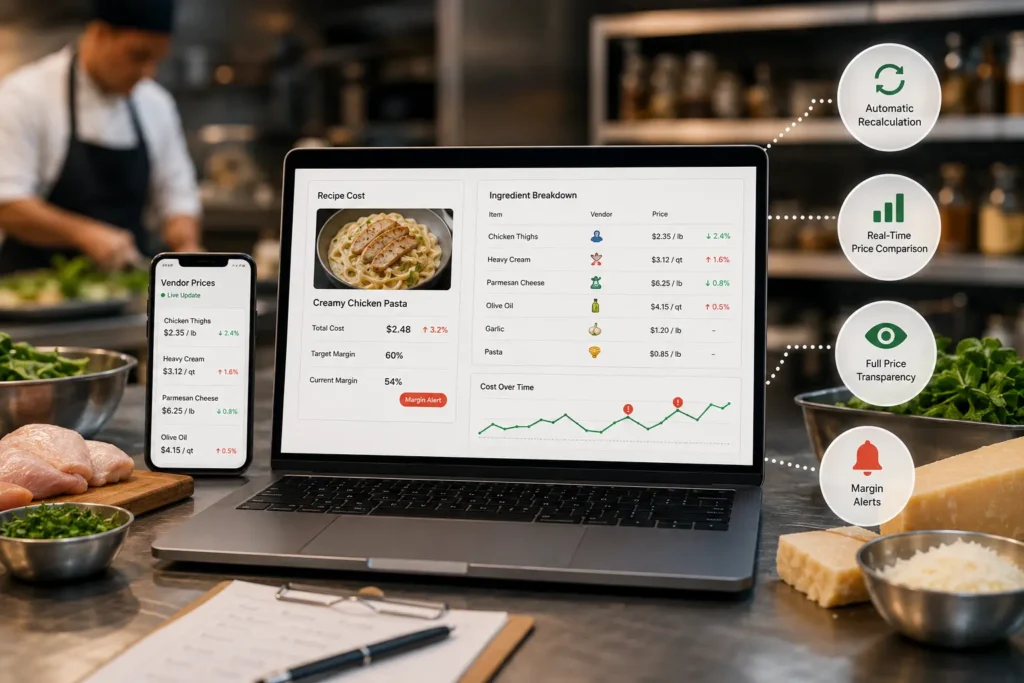
Genius links your live vendor invoices to your recipe database — the core of the whole platform.
- Automatic recalculation — a price change on chicken thighs or heavy cream updates every recipe using it, instantly
- Real-time food price comparison — recipe costs are always pulled from your actual current vendor data, never a stale average
- Full price transparency — see every vendor price for every item feeding a dish, down to the SKU and supplier
- Margin alerts — get flagged the moment a price swing changes a recipe’s margin enough to matter
Most recipe cost software treats costing as a one-time entry. Genius treats it as a living number. Choosing the right suppliers can help restaurants manage ingredient costs more effectively. Compare Sysco, US Foods, and regional distributors to explore your vendor options and make smarter purchasing decisions.
I had no idea our best seller was actually losing money. Genius showed us the truth and helped us fix it that day.
Dana L.
Owner, Taverna East
Why Genius Is Different From a Basic Recipe Costing Calculator
A lot of tools marketed as restaurant recipe costing software are really just glorified spreadsheets with a nicer interface — you still have to update ingredient prices manually. Genius’s real differentiator is the connection between purchasing and recipes:
- Compare food supplier prices in real time, feeding straight into recipe cost — not a separate step
- Restaurant purchasing price transparency — costs built on your actual negotiated pricing, not list price
- One platform for procurement, inventory, recipe costing, and cost control, instead of stitching together four separate tools that don’t communicate.
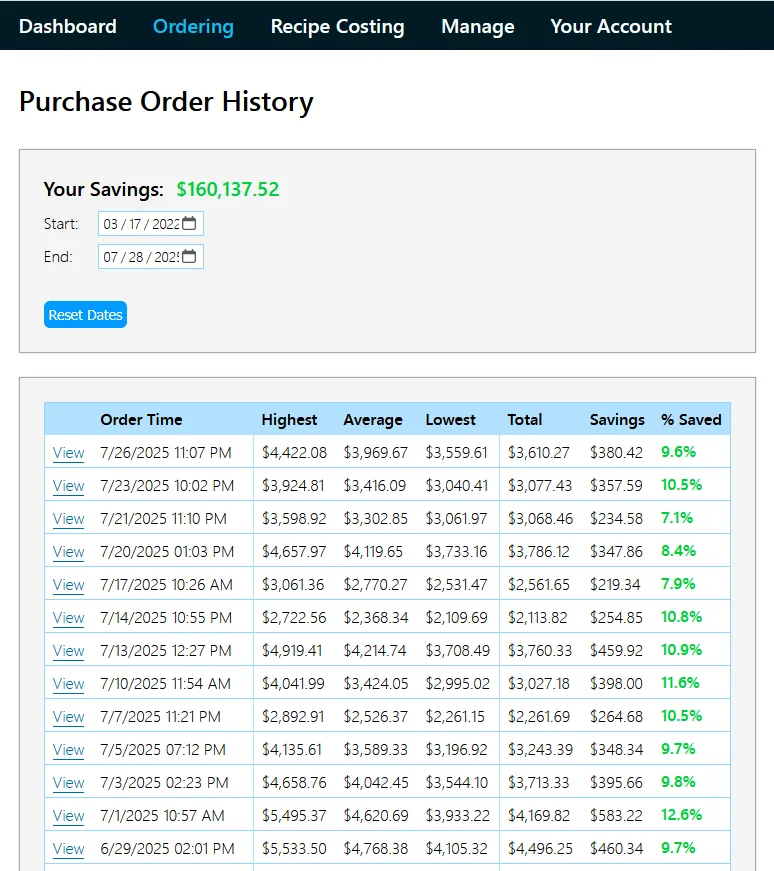
Restaurants on Genius cut food spend by roughly 10% on average — the savings come from seeing costs the moment they change, not months later.
Genius vs. Spreadsheets and Basic Recipe Cost Calculators
| Spreadsheets | Basic recipe cost calculators | Genius | |
|---|---|---|---|
| Ingredient prices | Typed in by hand | Typed in, or list-price averages | Live from your vendor data |
| When a price changes | You update it yourself | You update it yourself | Every affected recipe recalculates automatically |
| Sub-recipes | Manual formulas | Varies | Cost once, rolls up everywhere |
| Yield and waste | Manual | Varies | Built in |
| Margin alerts | None | Rarely | Yes |
| Connected to purchasing | No | No | Yes |
| Multiple locations | Separate files | Varies | Each location priced on its own vendor data |
Questions
Frequently Asked Questions
How do you calculate food cost for a recipe?
Add up each ingredient’s cost at the quantity the recipe actually uses, then divide by the menu price. That gives you cost for one dish — for how that number should compare to your restaurant-wide target, see what your food cost should be by concept. The hard part isn’t the math — it’s keeping ingredient costs current as vendor prices shift, which Genius automates.
How do I do menu costing for my whole menu, not just a few dishes?
Every recipe, including sub-recipes, needs a live connection to current ingredient costs — otherwise older dishes go stale while newer ones stay accurate. Genius applies the same real-time pricing engine across your whole menu at once, so nothing gets left behind.
Is there a free recipe cost calculator I can try before committing?
Genius offers a demo that costs your real recipes against your own vendor pricing — a clearer picture than a generic calculator with no connection to your actual invoices.
Does Genius handle sub-recipes, like sauces or stocks used across multiple dishes?
Yes — sub-recipes are costed once and roll up automatically into every dish that uses them, so one price change updates every recipe downstream.
Proof before you commit
Stop Guessing What Your Recipes Actually Cost
Every day you’re working from outdated recipe costs is a day you might be serving a loss without knowing it. Genius Food’s recipe costing software gives you the real number, updated the moment your vendor pricing changes — across every recipe, every sub-recipe, and every location.