
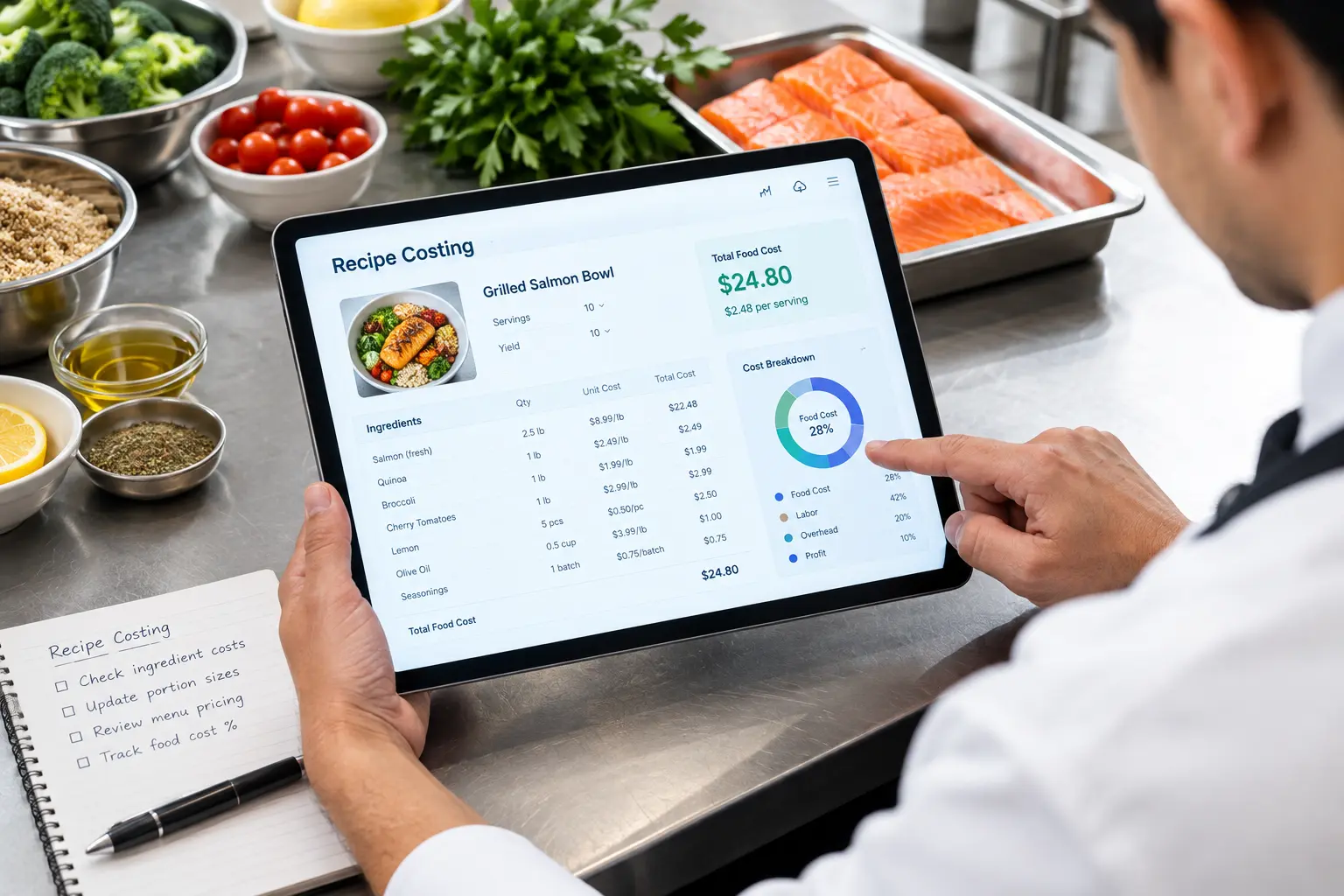
Quick Answer:
- The best recipe costing software for restaurants automatically calculates plate cost by pulling real-time ingredient prices, tracking yields and portions, and syncing with your POS or inventory system.
- Top picks for 2026 vary by need; some excel at multi-location scaling, others at tight vendor integration, but the right one should cut your food cost percentage within the first few months of use.
Introduction
Food costs are eating your margins alive, literally. If you’re still calculating plate costs on a spreadsheet (or worse, guessing), you’re leaving money on the table every single service. The National Restaurant Association has flagged rising food costs as one of the top operational pressures facing restaurants in 2026. Honestly, most operators are still fighting that battle with outdated tools. The best recipe costing software can turn hours of manual math into a five-minute task, and that alone makes it worth the investment.
In this guide, we’ll walk through what recipe costing software actually does, the top options on the market this year, and how to pick the right one for your kitchen. Ready to stop losing money on rising ingredient prices? Let’s dig in.
What Is Recipe Costing Software, and Why Does It Matter?
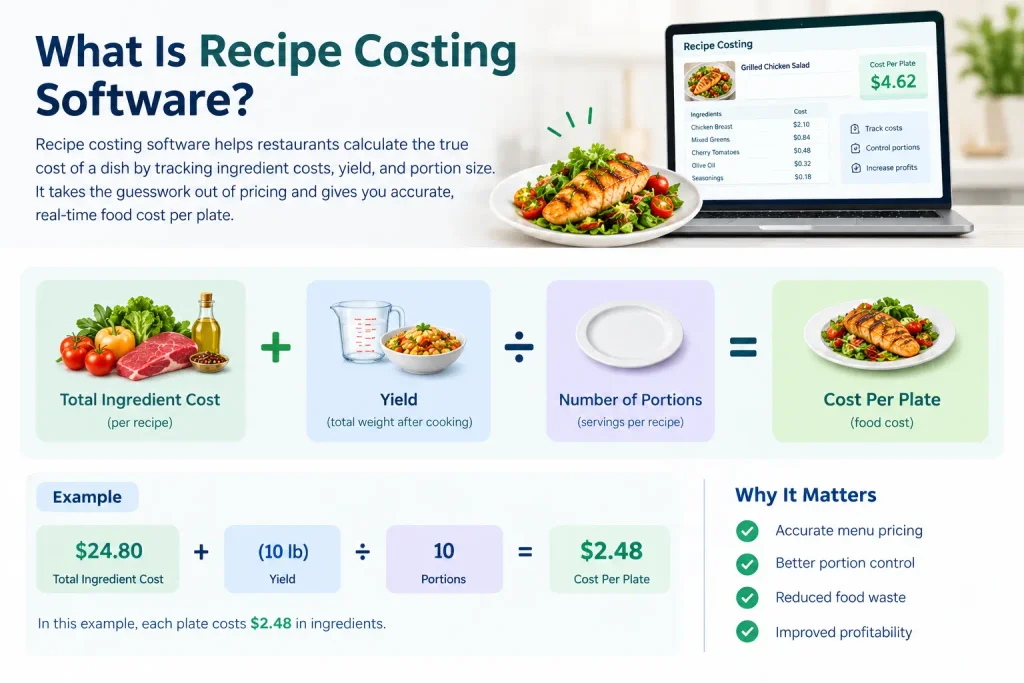
Recipe costing software calculates exactly what it costs you to make each dish down to the ounce of garlic and the splash of olive oil. It takes your ingredient prices, applies your recipe’s exact quantities and yields, and spits out a cost-per-plate number you can actually trust. No more guessing. No more “I think we’re around 30% food cost.”
Here’s why that matters more than ever: ingredient prices don’t sit still. A protein that cost $4.50/lb last quarter might be $5.75/lb today, and if your menu pricing hasn’t caught up, you’re quietly bleeding margin on every order.
- Defines cost-per-plate by combining ingredient prices, yields, and portion sizes
- Connects directly to your food cost percentage and menu profitability
- Prevents the silent margin erosion that happens when prices rise but menus don’t
- Typically works alongside broader restaurant management and inventory systems, not in isolation
Skip it, and you’re stuck with manual entry errors, stale pricing, and menu items priced on last year’s costs.
Key Features to Look for in Recipe Costing Software
Not all recipe costing tools are built the same, and the differences show up fast once you’re using one daily. Some platforms are glorified spreadsheets with a nicer interface. Others actually plug into your operations and update themselves.
Here’s what separates a tool that saves you time from one that just adds another login to your day:
- Real-time ingredient price updates pulled directly from vendor invoices, not manually re-entered
- Automatic recipe and sub-recipe calculations, so a change to your sauce recipe updates every dish that uses it
- Menu engineering and profitability reporting that flags your losers before they tank your month
- POS and inventory integrations, so cost data isn’t living in a silo
- Kitchen-friendly usability — chefs and line cooks need to interact with it too, not just the back office
- Scalability, especially if you’re running (or planning to run) more than one location
Integration matters more than most operators expect going in. If your costing tool can’t talk to your vendor and inventory systems, you’ll end up back on spreadsheets within a few months. Our overview of restaurant vendor management software covers what good integration should actually look like.
Top Recipe Costing Software Options for Restaurants in 2026
The market has matured a lot in the past couple of years, and most platforms now fall into a few clear categories depending on what kind of operation you’re running. Here’s how the leading options stack up.
Genius Food Purchasing — Best Overall
Genius Food Purchasing pairs recipe costing with purchasing intelligence, so pricing updates from your vendors flow straight into your plate costs instead of sitting in a separate spreadsheet. It’s built for operators who want costing and procurement working off the same numbers, not two disconnected systems.
- Ties vendor pricing directly to recipe costs, no manual re-entry
- Built for operators managing purchasing and costing as one workflow
- Useful for spotting margin drift as supplier prices shift
If you’re weighing whether you actually need recipe costing or menu costing (they’re related but not identical), it’s worth reading recipe costing vs. menu costing before you commit, since the right tool depends on which problem you’re solving first.
Note: Evaluating Genius against a Toast-owned option? Read our Genius vs. xtraCHEF comparison for a fair look at where each one is stronger.
MarginEdge — Best for Invoice Automation
MarginEdge is built around processing vendor invoices automatically and pushing updated ingredient costs straight into recipe cards, often within 24 hours of a price change. It’s a strong pick for operators whose biggest pain point is manual invoice entry rather than recipe building itself.
- Automated invoice OCR and processing
- Ingredient costs update in recipe cards as prices change
- Strong fit for teams drowning in manual invoice entry
MarketMan — Best for Vendor Marketplace Breadth
MarketMan leans into vendor ordering and inventory management alongside recipe costing, with a wider marketplace of connected suppliers than most competitors. It suits restaurants that want purchasing and costing tightly linked in one workflow.
- Wide network of connected vendors and suppliers
- Combines ordering, inventory, and recipe costing in one platform
- Good fit for restaurants that order from multiple distributors
Restaurant365 — Best for Multi-Unit Groups
Restaurant365 is a broader back-office platform, accounting, scheduling, and inventory alongside recipe costing, built for restaurant groups that want one system across every location. The tradeoff is a heavier implementation than single-purpose costing tools.
- Combines accounting, scheduling, and inventory with recipe costing
- Centralized visibility across multiple locations
- Heavier setup and onboarding than single-purpose tools
meez — Best for Chef-First Recipe Building
Meez focuses on how chefs actually build and standardize recipes, with detailed sub-recipe and technique tracking layered on top of the costing math. It’s a good fit for culinary teams that care as much about recipe consistency as the cost output.
- Deep sub-recipe and technique-level tracking
- Built around how chefs actually write and standardize recipes
- Strong for culinary teams prioritizing consistency alongside cost
ChefTec — Best Budget-Friendly Option
ChefTec is a long-standing, lower-cost option that covers core recipe costing, nutritional analysis, and menu engineering without the enterprise price tag. It’s a reasonable starting point for independents not ready for a full back-office suite.
- Solid entry point for independents not ready to scale up yet
- Core recipe costing plus nutritional analysis and menu engineering
- Lower cost than most full back-office suites
Recipe Costing Software Comparison: Pricing, Integrations, and Ease of Use
Once you’ve narrowed your list, the real comparison starts. Price is the obvious factor, but it’s rarely the one that determines whether a tool actually gets used.
When you’re lining up options side by side, evaluate:
- Pricing structure — flat monthly fee vs. per-location or per-user pricing
- Integration depth — does it connect to your existing POS, inventory, and accounting software, or does it require manual exports?
- Learning curve — can a new hire figure it out in a shift, or does it need a training session?
- Support quality — live chat and onboarding help vs. ticket-and-wait systems
- Free trial or demo availability — always worth testing before you sign an annual contract
Watch for hidden costs too: per-location add-on fees, onboarding charges, and integration fees that aren’t listed on the pricing page. If you’re already comparing vendor pricing as part of your cost-control strategy, a restaurant vendor price comparison tool can help you see whether your ingredient costs are competitive before you even start comparing software.
How to Choose the Right Recipe Costing Software for Your Restaurant
There’s no single “best” tool here; there’s a best tool for your restaurant, at your size, with your existing tech stack. A 40-seat independent and a 12-location franchise group need very different things.
Work through these questions before you buy:
- Restaurant size and complexity — single unit, multi-location, or franchise all point toward different platforms
- Existing tech stack — your POS, inventory, and accounting systems should integrate cleanly, not require duplicate data entry
- Onboarding speed — how quickly can your team actually start using it, day one?
- Support and training resources — especially important if your kitchen staff turns over frequently
- Budget vs. expected savings — the subscription cost should be easily justified by the food cost percentage it saves you
A lot of operators skip straight to comparing feature lists and miss the procurement side of the equation entirely. It’s worth reviewing common restaurant procurement mistakes first, since a costing tool can’t fix a broken purchasing process — it can only make the numbers more visible.
Common Mistakes Restaurants Make When Costing Recipes
Even with good software, bad habits creep in. These are the mistakes that quietly wreck the accuracy of your numbers:
- Relying on outdated ingredient prices instead of syncing current invoice data
- Ignoring yield loss and trim waste when calculating true ingredient cost
- Failing to update recipe costs when a dish or portion size changes
- Not training kitchen staff on consistent portioning, which throws off theoretical vs. actual cost
- Skipping regular recipe cost audits, letting small errors compound over months
Getting the actual formula right matters just as much as the software you use to run it. If you want to double-check your math manually before trusting a platform’s output, our guide on how to calculate the food cost of a recipe breaks down the exact steps.
The ROI of Recipe Costing Software: Is It Worth It?
Here’s the honest answer: yes, almost always; but only if you actually use it consistently. The ROI shows up in three places.
- Reduced food cost percentage. Even a 1-2% reduction in food cost across a full year adds up to real money for most restaurants.
- Time savings. Managers and chefs stop spending hours on manual recalculations every time a price shifts.
- Pricing accuracy. You catch margin erosion from ingredient inflation before it becomes a quarterly crisis instead of after.
The benchmark question every operator should be asking is simple: what should your food cost actually be? Our breakdown of what food cost should be in a restaurant gives you the industry ranges to measure your software’s impact against, so you know whether the tool is actually moving the needle or just producing prettier reports.
FAQs
What is the best recipe costing software for restaurants?
It depends on your size and tech stack; small independents do best with lightweight tools, multi-location groups need centralized reporting. The right fit integrates cleanly with your POS and vendor data.
How much does recipe costing software cost?
Pricing ranges from a flat monthly fee to per-location or per-user rates. Watch for hidden onboarding or integration fees not listed on the main pricing page.
Is recipe costing software worth it for a small restaurant?
Yes. It removes manual spreadsheet errors and catches price increases early, which usually justifies the subscription cost on its own.
What’s the difference between recipe costing and menu costing?
Recipe costing prices a single dish based on ingredients and yields. Menu costing evaluates your whole menu’s profitability, including pricing and sales mix.
How often should I update my recipe costs?
Every time ingredient prices change, ideally via real-time syncing. At minimum, audit monthly and after any menu or portion change.
Can recipe costing software integrate with my POS system?
Most platforms do, but integration depth varies; confirm whether sales data syncs automatically before signing a contract.
Conclusion
Choosing the best recipe costing software for restaurants isn’t just a back-office decision; it’s a direct line to your bottom line. The right platform saves time, tightens food cost percentages, and gives you the confidence to price menu items accurately, even as supplier costs shift week to week. Not every tool fits every kitchen, though, so weigh your restaurant’s size, existing systems, and budget before committing.
Ready to get your food costs under control? Explore how Genius Food Purchasing can help you cost recipes accurately and purchase smarter, all in one place.