
Quick Answer
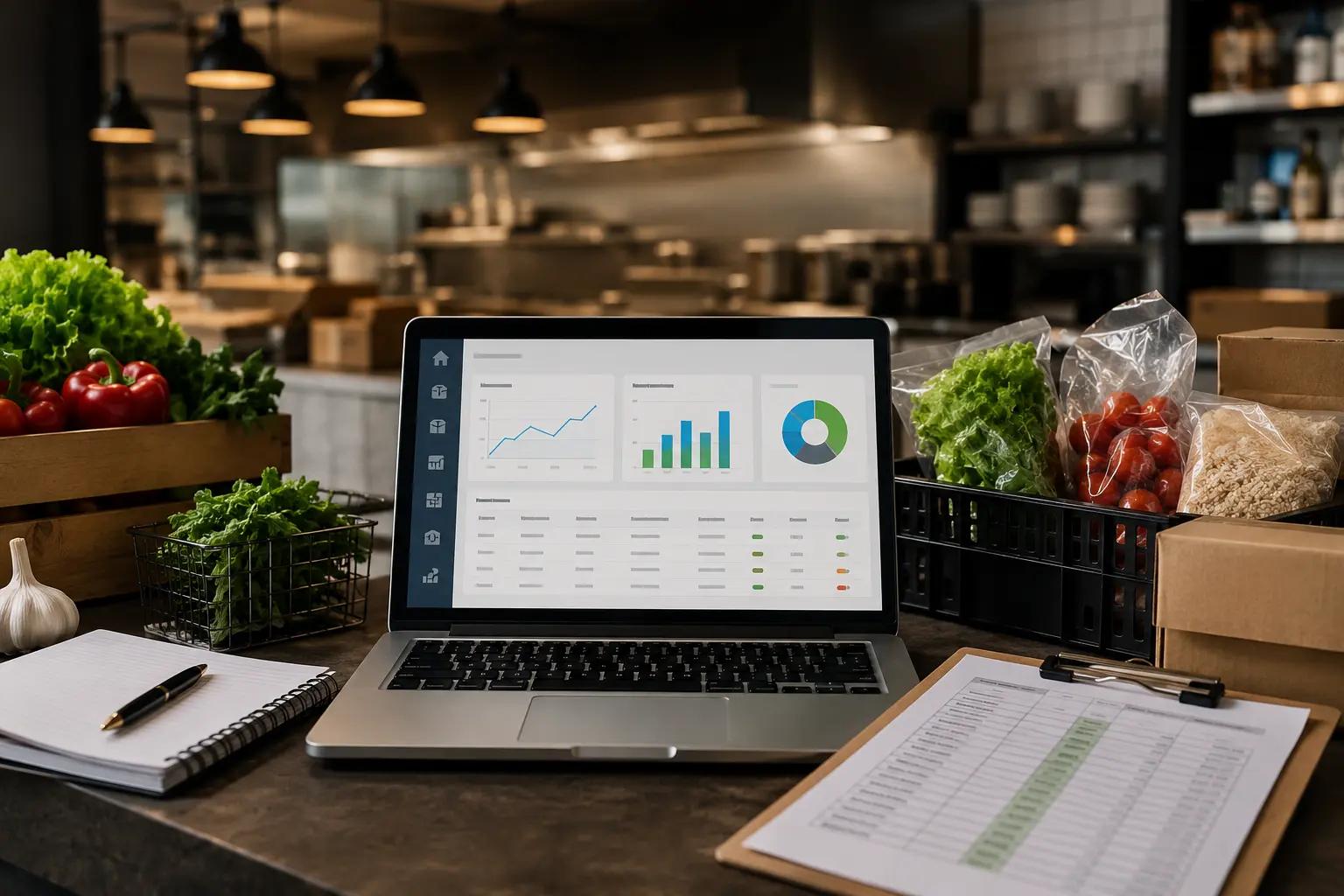
- Restaurant vendor management software helps restaurants manage suppliers, purchasing, pricing, orders, and vendor information from one centralized platform.
- It can help restaurants compare supplier prices, track purchasing costs, manage purchase orders, monitor vendors, and reduce manual purchasing work.
- Restaurants use vendor management software to gain better price visibility, purchasing control, and cost efficiency across their suppliers.
- The software is especially useful for independent restaurants, multi-unit operators, busy owner-operators, and franchise locations managing multiple vendors or high purchasing volumes.
- By identifying better supplier prices, tracking cost changes, and streamlining procurement, vendor management software can help restaurants control food costs and protect profit margins.
Introduction
Managing restaurant vendors becomes challenging when you’re handling multiple distributors, changing prices, purchase orders, invoices, deliveries, and supplier relationships. Many restaurants still rely on spreadsheets, emails, phone calls, and supplier portals, making it difficult to track costs or compare prices. Even small increases in ingredient costs can impact profitability. That’s where restaurant vendor management software helps.
It centralizes suppliers, pricing, purchasing, ordering, and related data in one system, giving operators better visibility and control. But what exactly does it do, and does your restaurant need it? Let’s break it down.
What Is Restaurant Vendor Management Software?
Restaurant vendor management software is a technology platform that helps restaurants organize, manage, and optimize their relationships with food and supply vendors. This gets especially complex as you scale; see our approach for multi-unit operators managing vendors across multiple locations.
Rather than keeping supplier information, pricing, purchase orders, and invoices in different places, the software creates a centralized system for managing purchasing activity.
Depending on the platform, it can help restaurants:
- Manage multiple food and supply vendors from one place.
- Maintain supplier information and purchasing records.
- Compare prices across vendors.
- Create and track purchase orders.
- Monitor purchasing activity and spending.
- Track changing ingredient prices.
- Organize invoices and purchasing data.
- Connect purchasing with inventory and food cost management.
- Generate reports to help operators make better purchasing decisions.
- Standardize purchasing processes across multiple locations.
For restaurants using several distributors, this centralized approach can make a huge difference. Instead of asking, “What did we pay last time?” or “Which supplier has the better price?” operators can use current purchasing data to make decisions before placing the order.
Note: Managing vendors starts with having vendor accounts. If you haven’t opened a wholesale account with a distributor yet, here’s how to get started before diving into vendor management.
How Does Restaurant Vendor Management Software Work?
At its core, vendor management software connects the different pieces of the restaurant purchasing process. Imagine you need to order chicken, tomatoes, cooking oil, flour, and several other ingredients.
Traditionally, your team might check several vendor catalogs, contact sales representatives, compare spreadsheets, or simply order everything from the supplier they normally use. With a restaurant vendor management platform, those purchasing activities can be centralized.
The process typically looks something like this:
- Vendor information is centralized. Supplier details, products, and purchasing information are stored in one system.
- Products and pricing are organized. Operators can see what they’re buying and how much different suppliers charge.
- Orders are built. The purchasing team creates an order based on current needs.
- Prices can be compared. Where the software supports real-time vendor comparison, operators can identify better pricing before purchasing.
- Orders are routed to suppliers. Items can be assigned to the appropriate vendors.
- Purchasing activity is tracked. Historical orders and spending data remain available for analysis.
- Reports provide visibility. Operators can identify purchasing trends, price changes, and potential savings opportunities.
For example, Genius Food Purchasing allows restaurants to compare vendor prices line by line while building an order and route products to the vendor offering the best available price. The goal isn’t necessarily to replace your existing suppliers. It’s to give you better information about how and when you buy from them.
Key Features of Restaurant Vendor Management Software
Not every platform offers the same capabilities, but restaurant operators should look for several core features.
Vendor and Supplier Management
A good system should make it easier to keep supplier information organized. Instead of searching through email threads or spreadsheets, your team can have one centralized source for:
- Vendor names and contact information.
- Product catalogs.
- Purchasing history.
- Pricing information.
- Standing orders.
- Supplier-specific purchasing details.
- Order history.
- Vendor performance information.
This becomes especially valuable as your restaurant adds suppliers or locations.
Price Comparison and Cost Tracking
Price visibility is one of the biggest advantages of vendor management software. Food prices change constantly. A supplier that was the cheapest option six months ago may no longer be the most competitive today.
A restaurant purchasing platform can help you:
- Compare the price of the same item across suppliers.
- Monitor price changes over time.
- Identify unusual increases.
- See where you’re potentially overpaying.
- Make purchasing decisions using current data.
A structured supplier comparison can also reveal savings opportunities that aren’t obvious when reviewing individual invoices. For a deeper look at this process, see our guide to comparing restaurant suppliers and vendor prices.
Purchase Order Management
Purchase orders are another area where manual processes can create unnecessary work. Restaurant vendor management software can help teams:
- Create purchase orders.
- Standardize ordering procedures.
- Track order status.
- Maintain purchase histories.
- Reduce duplicate orders.
- Keep purchasing documentation organized.
Instead of relying on scattered emails or handwritten order sheets, your team has a more consistent workflow.
Invoice and Bill Management
Invoices contain valuable purchasing information—but only if you’re actually using it. Vendor management software can help operators organize invoice data and compare what was purchased against expected prices.
This makes it easier to identify:
- Pricing discrepancies.
- Unexpected charges.
- Incorrect quantities.
- Supplier price increases.
- Repeated billing issues.
- Changes in purchasing costs.
The result is greater visibility into where restaurant purchasing dollars are going.
Inventory and Purchasing Integration
Vendor management becomes even more useful when purchasing information connects with inventory data.
For example, if inventory levels are low, purchasing data can help determine what needs to be reordered. If certain products are consistently over-ordered, the restaurant can adjust its purchasing habits. This can help reduce:
- Overstocking.
- Stockouts.
- Spoilage.
- Unnecessary purchases.
- Emergency orders.
Purchasing shouldn’t happen in isolation. It should be connected to what the restaurant actually needs.
Reporting and Analytics
Data is only useful if you can understand it. Reporting features can help restaurant operators analyze:
- Total vendor spending.
- Spending by category.
- Purchasing trends.
- Supplier pricing.
- Ingredient costs.
- Order history.
- Cost changes over time.
- Potential savings opportunities.
Instead of relying on memory or gut instinct, operators can use purchasing data to support supplier negotiations and operational decisions.
Why Restaurants Need Vendor Management Software
So, why invest in another restaurant technology platform? The answer comes down to control. Restaurants operate on tight margins. When purchasing is fragmented, it’s difficult to know whether every dollar is being spent efficiently.
A restaurant may have great sales and a busy dining room but still struggle financially because ingredient prices have increased, purchasing isn’t optimized, or costs aren’t being monitored closely enough.
Vendor management software helps address this problem by creating visibility before money is spent. That’s important. It’s much easier to act on an unfavorable supplier price before placing an order than discovering the problem weeks later while reviewing invoices.
It can also eliminate a tremendous amount of repetitive administrative work. Instead of asking employees to manually compare supplier spreadsheets every week, technology can help automate parts of that process.
7 Benefits of Restaurant Vendor Management Software
1. Reduce Food and Purchasing Costs
One of the biggest reasons restaurants adopt vendor management software is cost control. If you’re purchasing hundreds or thousands of dollars of ingredients every week, even relatively small price differences can add up.
A platform that makes vendor pricing easier to compare can help you:
- Find more competitive supplier prices.
- Identify price increases faster.
- Avoid unnecessary overpayments.
- Make more informed purchasing decisions.
- Strengthen your position during supplier negotiations.
The savings don’t necessarily come from switching every vendor.
Sometimes, simply knowing that another supplier offers a better price gives you useful negotiating leverage.
2. Save Time on Vendor Management
How much time does your team spend logging into supplier portals, checking price lists, sending purchase orders, and reviewing invoices? For a small restaurant, that may already be frustrating. For a multi-location restaurant, it can become a serious administrative burden.
Centralizing vendor information and purchasing workflows can reduce repetitive tasks and allow managers to spend more time on operations, staff, customers, and growth.
3. Improve Supplier Price Visibility
Food prices don’t stay still. A supplier may increase the price of an ingredient gradually enough that nobody notices immediately. By the time someone spots it, the restaurant may have spent considerably more than expected. Vendor management software can make price changes easier to identify and track.
That allows restaurant operators to ask better questions:
- Why did this item increase?
- Is another vendor offering a better price?
- Is the price increase temporary?
- Can we negotiate?
- Should we adjust our purchasing strategy?
Better information leads to better decisions.
4. Reduce Purchasing Errors
Manual purchasing creates opportunities for mistakes. Someone might order the wrong quantity, duplicate an order, use outdated pricing, or forget to account for an existing inventory level.
Standardized purchasing workflows can reduce these errors and create greater consistency across the team. This is particularly valuable when multiple managers are responsible for ordering.
5. Strengthen Vendor Relationships
Vendor management isn’t about treating suppliers as interchangeable commodities. Good supplier relationships matter. You need reliable deliveries, consistent product quality, responsive account representatives, and reasonable solutions when something goes wrong.
A centralized system gives you a clearer picture of your purchasing relationship with each vendor. Over time, that data can help you evaluate which suppliers consistently deliver value and where there may be opportunities for improvement.
6. Improve Inventory Control
Purchasing and inventory are closely connected. If your restaurant continually buys more product than it needs, inventory costs rise, and spoilage can follow.
If you don’t buy enough, you may face shortages, substitutions, or emergency purchases. Vendor management software can help connect purchasing decisions to inventory requirements, so your team has better visibility into what needs to be purchased and when.
7. Increase Restaurant Profitability
Ultimately, vendor management isn’t just about organizing suppliers. It’s about protecting your margins. Every purchasing decision affects your cost of goods sold. Better supplier visibility, smarter purchasing, reduced waste, and improved cost control can all contribute to stronger restaurant profitability.
The key is consistency.
Saving a few dollars on one order isn’t transformative. Finding small savings opportunities across thousands of purchases throughout the year can be.
Restaurant Vendor Management Software vs. Traditional Vendor Management
For years, restaurants have managed suppliers using spreadsheets, phone calls, emails, paper invoices, and vendor-specific ordering portals.
And for a very small operation, that may work. The problem appears when purchasing becomes more complex. Traditional vendor management often requires employees to:
- Check several supplier websites.
- Compare spreadsheets manually.
- Search previous invoices.
- Contact vendor representatives.
- Track pricing changes themselves.
- Enter information repeatedly.
- Reconcile purchasing data later.
The process is fragmented. Software brings these activities into a more centralized workflow.
For example, a restaurant using multiple suppliers can potentially create one purchasing list and determine which vendor should receive each item based on price, availability, or purchasing preferences. Genius Food Purchasing is designed around this type of multi-vendor purchasing workflow. The difference becomes even more significant as a restaurant grows.
How Vendor Management Software Helps Control Restaurant Food Costs
Food cost doesn’t happen by accident. It’s influenced by purchasing prices, portion sizes, waste, inventory management, menu pricing, and supplier decisions.
For most restaurants, keeping food cost within a healthy range requires ongoing monitoring rather than a once-a-year review. Vendor management software addresses one of the earliest points in the process: what you’re paying for ingredients before they enter your kitchen.
That matters because an unnoticed supplier price increase can eventually affect your actual food cost. Suppose a restaurant uses an ingredient heavily across multiple menu items. The supplier increases its price by 8%, but the menu price stays the same.
- The restaurant hasn’t changed its recipes.
- It hasn’t changed its portion sizes.
- Sales haven’t changed.
- Yet its margins have declined.
- This is why purchasing visibility matters.
For more strategies on identifying and addressing cost increases, see our guide on how to reduce food costs in restaurants.
How to Choose the Right Restaurant Vendor Management Software
Not every restaurant needs the same technology. Before choosing a platform, start with your current problems.
Are you struggling with vendor price comparisons? Purchase orders? Invoice tracking? Multiple supplier portals? Inventory visibility? Multi-location purchasing?
Once you know the problem, evaluate potential platforms based on the features that actually solve it. Look for:
- Multi-vendor support: Can you manage several suppliers and distributors?
- Price comparison: Can you compare supplier prices efficiently?
- Purchase order management: Can your team create, send, and track orders?
- Pricing history: Can you identify changes over time?
- Reporting: Can you understand vendor spending and purchasing trends?
- Inventory integration: Can purchasing data connect with inventory?
- POS and accounting integrations: Can the system work with your existing technology?
- Multi-location support: Can it scale with your restaurant?
- Ease of use: Can managers and staff actually use it without extensive training?
- Scalability: Will it continue to work as your purchasing needs grow?
Don’t choose software simply because it has the longest feature list. Choose the system that solves your biggest operational problems.
What Tools Help Optimize Vendor Pricing and Reduce COGS in Restaurants?
Restaurant vendor management software is the main tool for this. It centralizes vendor information, pricing, and purchasing data in one platform, letting operators compare supplier prices, track purchasing costs, manage purchase orders, and monitor vendors—all of which help control food costs and protect profit margins.
Key capabilities that drive the savings:
- Price comparison — compare the same item across suppliers, monitor price changes over time, and identify unusual increases before placing an order
- Purchase order management — standardize ordering, track order status, and reduce duplicate or error-prone orders
- Invoice and bill management — catch pricing discrepancies, unexpected charges, and supplier price increases
- Inventory integration — connect purchasing to actual stock levels to reduce overstocking, spoilage, and emergency orders
- Reporting and analytics — track spend by category and supplier to support negotiations and spot savings opportunities
For example, Genius Food Purchasing lets restaurants compare vendor prices line by line while building an order and routes each item to the vendor offering the best available price—turning “what did we pay last time?” into a decision based on current data before the order goes out.
Questions to Ask Before Choosing a Vendor Management Platform
Before signing up for a restaurant vendor management platform, ask:
- Can it work with our existing vendors? You shouldn’t necessarily have to abandon suppliers you trust just to use better purchasing technology.
- Can we compare prices across multiple suppliers? This is particularly important if you regularly buy the same products from different vendors.
- Can we track historical pricing? Current pricing tells you what something costs today. Historical data helps you understand where prices have changed.
- Does it integrate with our existing systems? Look at your POS, inventory, accounting, restaurant management, and other operational software.
- Can it support multiple locations? If you plan to grow, make sure your technology can grow with you.
- Can it reduce manual work? Technology should make purchasing easier—not add another complicated process.
- Can it provide actionable reporting? Reports should help you answer real business questions rather than simply produce more numbers.
What’s the most efficient system for comparing pricing across corporate supply vendors?
The most efficient approach is a centralized platform that compares vendor prices line-by-line while you build an order, rather than checking supplier portals, spreadsheets, or price lists one at a time. Genius Food Purchasing works this way: it lets you compare the price of the same item across suppliers, monitor price changes over time, and route each item to whichever vendor offers the best available price, all before the order goes out.
This beats the traditional approach, checking several supplier websites, comparing spreadsheets manually, and contacting vendor reps individually, because it turns price comparison into something you do automatically on every order instead of a once-in-a-while manual audit.
Common Mistakes Restaurants Make When Managing Vendors
Even restaurants that actively monitor purchasing can fall into common traps.
Relying Entirely on Spreadsheets
Spreadsheets can be useful, especially for smaller restaurants. But they depend heavily on manual updates. If someone forgets to update a price, enters a number incorrectly, or uses an outdated version, your purchasing decisions may be based on inaccurate information.
Ordering Everything From One Vendor
Convenience is valuable, but automatically buying everything from the same supplier can mean missing better pricing opportunities. This doesn’t mean restaurants should constantly switch suppliers. It means operators should know what they’re paying and understand their alternatives.
Focusing Only on Unit Price
The cheapest unit price isn’t always the lowest total cost. Consider:
- Delivery minimums.
- Product quality.
- Waste and spoilage.
- Delivery reliability.
- Payment terms.
- Return policies.
- Hidden fees.
- Product consistency.
A supplier offering a slightly lower price isn’t necessarily the better supplier if the product creates more waste.
Ignoring Price Changes
Supplier prices can change gradually. If nobody is monitoring them, the restaurant may continue paying the higher price simply because “that’s what we’ve always paid.“
Failing to Connect Purchasing With Menu Costs
Your ingredient prices directly influence the cost of the dishes you sell. When supplier pricing changes significantly, your menu costs can change too. That makes regular menu costing an important part of overall purchasing management. For a practical walkthrough, see this step-by-step guide to menu costing.
Restaurant Vendor Management Best Practices
Software is helpful, but technology alone won’t fix a poorly structured purchasing process. Use it alongside strong vendor management habits.
Maintain Accurate Vendor Information
Keep supplier contacts, products, pricing information, and purchasing records current.
Compare Supplier Pricing Regularly
Don’t wait until food costs become a problem. Regular comparison gives you a clearer picture of the market and helps you spot changes earlier.
Review Purchasing Reports
Set aside time each week or month to review purchasing activity. Look for unusual increases, spending changes, and categories where costs are rising.
Track Vendor Performance
Price is only one measure. Monitor delivery reliability, product quality, substitutions, service, and responsiveness too.
Standardize Purchasing Procedures
If you operate multiple locations, make sure managers understand how purchasing should be handled. Standardized processes make performance easier to measure and improve.
Review Supplier Relationships
Don’t assume a supplier remains competitive forever. Markets change. Prices change. Your restaurant changes. Review supplier performance periodically and renegotiate when necessary.
Connect Purchasing With Food Cost Management
Purchasing data should inform inventory management, recipe costing, menu pricing, and food cost analysis. The more connected these systems are, the easier it becomes to understand what’s actually happening to your margins.
Conclusion
Restaurant vendor management directly impacts profitability—from supplier pricing and ingredient costs to food costs and margins. A centralized restaurant vendor management software system can help you compare prices, track purchases, and analyze supplier data more efficiently.
You don’t necessarily need new vendors—you need better visibility into your current ones. Start by identifying purchasing gaps: where you’re losing time, struggling to compare prices, seeing cost increases, or relying too heavily on spreadsheets.
Once you identify those gaps, you can choose technology that fits your needs. Explore Genius Food Purchasing to see how real-time vendor price comparison, procurement, and purchasing management can help your restaurant make smarter buying decisions.