
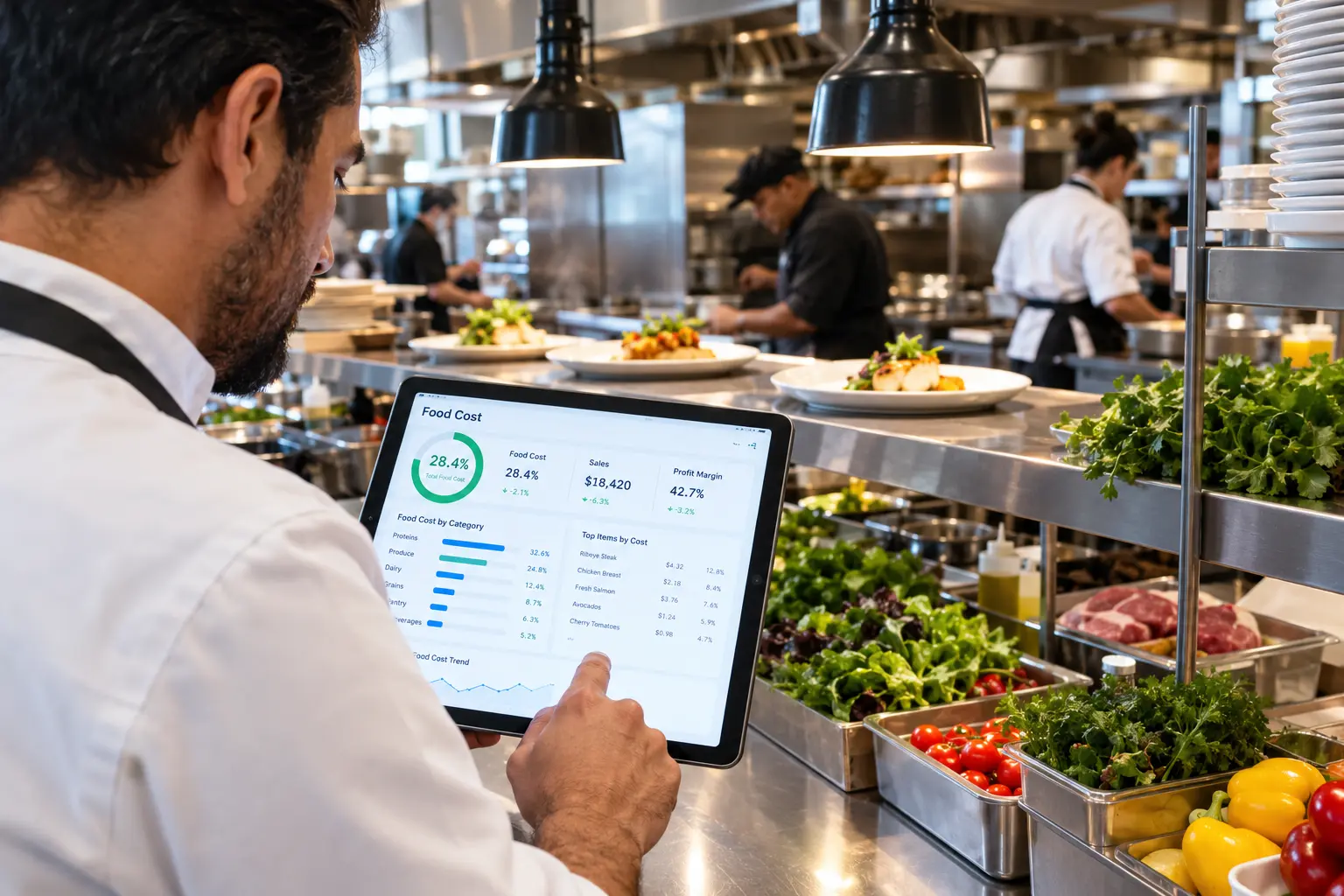
Quick Answer
What is the best food cost software for restaurants? The best food cost software for restaurants tracks vendor prices in real time, links those prices to your recipes so plate costs update automatically, and flags price increases before they hit your margins. Look for real-time vendor price comparison, live recipe costing, automated inventory insight, rebate capture, and setup that takes days, not months. The right tool works with the vendors and POS system you already use.
Introduction
Most full-service restaurants aim for a food cost of roughly 28-35%. Hit that range and you’re in great shape. Miss it by a few points, and a profitable month quietly turns into a break-even one!
I’ve seen it happen again and again. A chicken price creeps up here. A produce vendor nudges a case price there. By the time anyone spots it in a monthly spreadsheet, the damage is done. Prices move daily. Your spreadsheet doesn’t.
That’s why the best food cost software for restaurants doesn’t just record what you spent. It watches vendor prices as they change and shows you what’s happening to your margins right now. In this guide, I’ll walk you through what to look for, how the main options compare, and how to choose the restaurant food cost tracking software that fits your operation.
Why Restaurant Food Costs Spiral Out of Control (and Why Spreadsheets Can’t Keep Up)
Here’s the uncomfortable truth: most restaurants don’t overspend because of one big mistake. They overspend because of a hundred small ones.
- Price creep. A 3% bump on one item is easy to miss. Fifty items each creeping up a little is a margin killer.
- Manual tracking breaks down. Comparing prices across several vendors, item by item, is nearly impossible by hand, especially when you’re also running a kitchen.
- The lag problem. A monthly food cost report tells you about last month’s problem. You can’t fix a leak you find 30 days late.
- Hidden leaks. Over-portioning, waste, theft, and unnoticed invoice changes all chip away at profit.
The good news? Most of these leaks are fixable once you can see them. If you want a deeper playbook, this guide on how to reduce food costs in restaurants covers the operational side. Software just makes the “seeing” part automatic.
What Is Restaurant Food Cost Tracking Software?
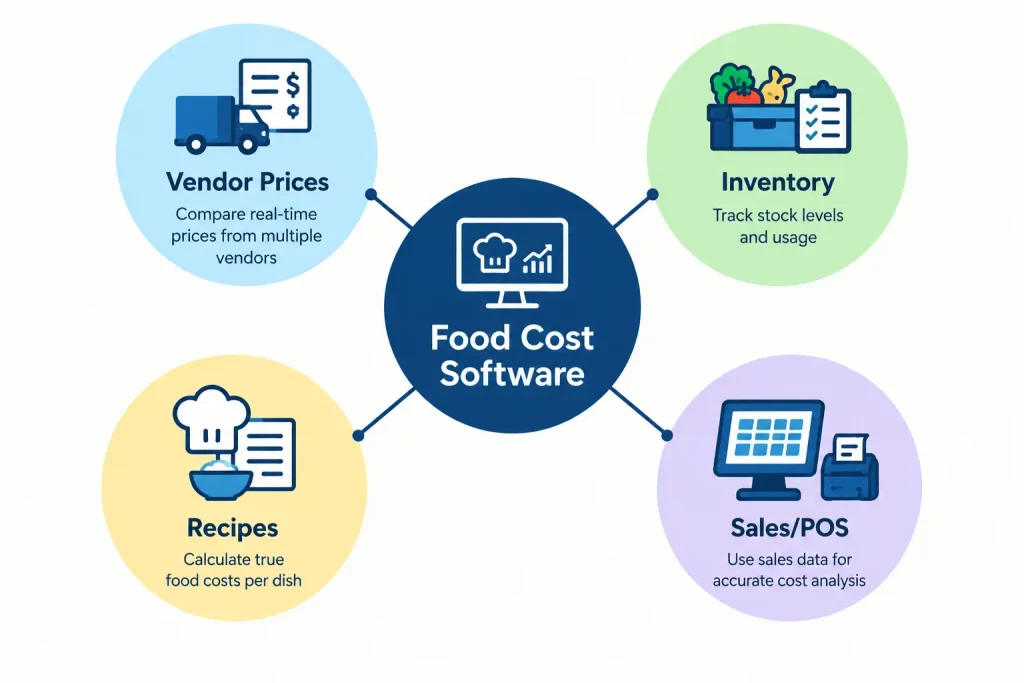
Restaurant food cost tracking software is a tool that connects what you pay your vendors, what’s on your shelves, and what each dish costs to make, so you always know your real margin.
It’s different from your POS (which tracks sales) and your accounting software (which tracks expenses after the fact). Food cost software sits in the middle and answers the question that matters: “Am I actually making money on this plate?”
A few terms get tossed around interchangeably, so let’s untangle them:
- Food cost software ties vendor pricing and inventory to recipe costs to show actual margin.
- Inventory software tracks what’s on your shelves.
- Procurement software centralizes ordering, price comparison, and purchase history in one place.
The strongest platforms combine all three. Under the hood, the math behind it is the classic formula: beginning inventory plus purchases, minus ending inventory, divided by sales. If you want to see how that works step by step, here’s a walkthrough on how to calculate restaurant food cost.
Who benefits most? Independent restaurants, multi-unit operators, franchise locations, and busy owner-operators who don’t have hours to spend on spreadsheets.
7 Must-Have Features in the Best Food Cost Software for Restaurants
Not all tools are created equal. Here’s what separates the great from the “meh.”
1. Real-time vendor price comparison. You should see every vendor’s price for every item, side by side. No guessing and no calling three reps.
2. Live recipe costing. Your plate costs should update automatically as ingredient prices change. A recipe card you costed in January is fiction by March. This breakdown of recipe costs when vendor prices change shows exactly how outdated costing quietly erodes profit.
3. Price-change alerts. The software should flag price creep and margin leaks the moment they happen, not at month-end.
4. Inventory tracking. Look for automated insight that spots waste, over-portioning, and theft without painful manual counts.
5. Rebate capture. Many restaurants are owed distributor rebates they never collect. Good software recovers that money for you.
6. Multi-vendor ordering. One login beats juggling five vendor portals every week.
7. POS and vendor compatibility. The tool should work with systems you already use, such as Toast, Square for Restaurants, and Aloha, and with distributors like Sysco, US Foods, PFG, and Gordon Food Service.
If a tool is missing more than two of these, keep looking.
Real-Time vs. Delayed Pricing: Why It Matters for Your Margins
“Real time” gets thrown around a lot in marketing. Here’s what it should actually mean: prices that update as vendors change them, not when an invoice lands in your inbox a week later.
Why does it matter? Let’s use a simple example. Say a 12-count case of choice ribeye costs $142.10 from one vendor and $151.80 from another. That’s a $9.70 gap on a single line. Now multiply that across dozens of items, every order, every week. The gap adds up fast.
With real-time pricing, you can:
- Buy the same item from the cheapest vendor, automatically
- Adjust menu prices and specials before margins slip
- Catch a price spike before you place the order, not after
When you’re evaluating tools, ask each vendor how often their price data refreshes, and where it comes from. “Real time” should mean line-by-line, every order. If it means “updated weekly,” that’s not the same thing.
Food Cost Software vs. Spreadsheets vs. Generic Tools: A Side-by-Side Comparison
So how do the main approaches stack up? Here’s a quick look at what to expect.
| Feature | Food cost software built for restaurants | Manual spreadsheets | Generic software |
|---|---|---|---|
| Real-time price comparison | Yes | No | Rarely |
| Works without switching vendors | Yes | Manual only | Sometimes |
| Live recipe costing | Yes | No | Rarely |
| Automatic rebate capture | Yes | No | No |
| Built for restaurants | Yes | Manual only | No |
| Typical setup time | Days | N/A | Weeks to months |
- Where spreadsheets still work: a very small operation with a short menu and one or two vendors can get by for a while. Honestly, that’s where most of us start.
- Where they fail: the moment you add vendors, menu items, or locations, errors multiply. Spreadsheets also can’t pull live prices, so they’re outdated the second you save them.
- The hidden cost: don’t forget your own time. Hours spent updating cells, chasing invoices, and fixing formula errors are hours you’re not spending on guests, staff, or growth.
Generic or retail-oriented software has its own problem. It isn’t built around restaurant realities like case pricing, shifting commodity costs, and multi-vendor ordering, so you end up bending your workflow to fit the tool.
How to Choose the Best Restaurant Food Cost Software for Your Operation
Picking software shouldn’t feel like buying a car. Here’s a simple way to cut through the noise.
Match the tool to your size. A single-location cafe has different needs than a franchise group. Ask whether the platform is built for independents, multi-unit operators, or both.
Use this evaluation checklist:
- Setup time: Days, or months?
- Training burden: Will your team have to learn a whole new workflow?
- Contract terms: Are you locked in, or do you stay because it works?
- Support: Is there a real human who understands restaurants?
- Pricing transparency: Is pricing clear, or hidden behind vague “contact us” walls?
Check integrations. Confirm it works with your POS, accounting tools, and current distributors, including Sysco, US Foods, PFG, and your regional suppliers.
Note: Already on Toast and weighing a back-office tool tied to your POS? See how the two approaches differ in our Genius vs. xtraCHEF comparison.
Watch for red flags:
- Long-term contracts that lock you in
- Expensive integration or onboarding fees
- Vague answers about how pricing data is sourced
- A product that forces you to switch vendors
Run a proof test. Before you commit, ask the vendor to run the software against your real orders and show you what it finds, in writing. If a company won’t do that, that tells you something.
How Much Can Restaurant Food Cost Software Save You?
Let’s talk numbers, because that’s what really matters.
Here’s a simple way to estimate your potential savings:
Monthly food spend × savings rate = monthly savings
For example, a restaurant spending $40,000 a month on food that finds a 10% savings rate would keep about $4,000 per month, or $48,000 per year. That’s an illustration, not a promise, but it shows why even modest improvements matter so much.
Where do savings actually come from?
- Price comparison: buying the same item at the best available price
- Rebates: recovering cash you’re already owed
- Waste reduction: catching over-portioning and spoilage sooner
- Smarter ordering: building better purchase orders every time
One restaurant co-owner said it best. Marcus L. of Five Forks Tavern shared that his team cut food spend by more than 10% once they gained control over prices they never had before.
A word of honesty: your results will vary. They depend on your menu, your vendor mix, and how much you spend. The best way to know is to test the software on your own numbers.
How to Get Started: A 4-Step Implementation Plan
Good news! Getting started is simpler than most owners expect. Here’s the typical path.
Step 1: Connect your vendors. Link the suppliers you already use and import your current invoices. You shouldn’t need new vendor relationships.
Step 2: Build or import your recipes. Add your menu items so the software can cost every plate against live ingredient prices.
Step 3: Set your targets and alerts. Decide your food cost goals and the price-change thresholds that should trigger a heads-up.
Step 4: Review weekly and adjust. Check your dashboard once a week. Look at price gaps, food cost percentage, and inventory trends, and compare where you should be with where you actually are. Understanding ideal food cost vs. actual food cost helps you pinpoint whether the gap comes from pricing, portioning, or waste.
Timeline? With the right platform, you’re often up and running in days, not months.
Frequently Asked Questions
What should food cost be in a restaurant?
Most full-service restaurants target a food cost percentage between 28% and 35%, though the right number depends on your concept, menu mix, and region.
What’s the difference between food cost software and inventory software?
Inventory software tracks what’s on your shelves. Food cost software ties that inventory to recipe costs and vendor pricing to show your real margin. The best platforms do both.
Does food cost software work with my POS system?
Many modern platforms work alongside popular POS systems like Toast, Square for Restaurants, and Aloha, so you can review sales and food cost data together. Always confirm compatibility before you buy.
Can I use it with more than one distributor?
Yes. A good platform pulls pricing from multiple distributors so you can compare them side by side without switching any of them.
How long does setup take?
With restaurant-specific software, most operators are live within days. If a vendor quotes months, ask why.
How much does restaurant food cost software cost?
Pricing usually depends on order volume, number of locations, and which features you use. Ask for a quote based on your actual operation, and ask whether the tool pays for itself through savings.
Is there free restaurant food cost software, and is it worth it?
Some free tools exist, but most rely on manual counts and don’t connect to live vendor pricing or recipe costs. That limits how much they can actually save you.
Conclusion
Here’s the bottom line. Your food cost isn’t a monthly report. It’s a moving target, and the best food cost software for restaurants keeps you aimed at it every single day!
Look for real-time vendor price comparison, live recipe costing, and automated inventory insight. Skip anything that demands new vendors, long contracts, or months of setup. The right restaurant food cost tracking software should work quietly in the background while you run your kitchen.
Ready to see what you’re leaving on the table? Book a free demo of Genius Food Purchasing, and we’ll run it against your real orders first.