
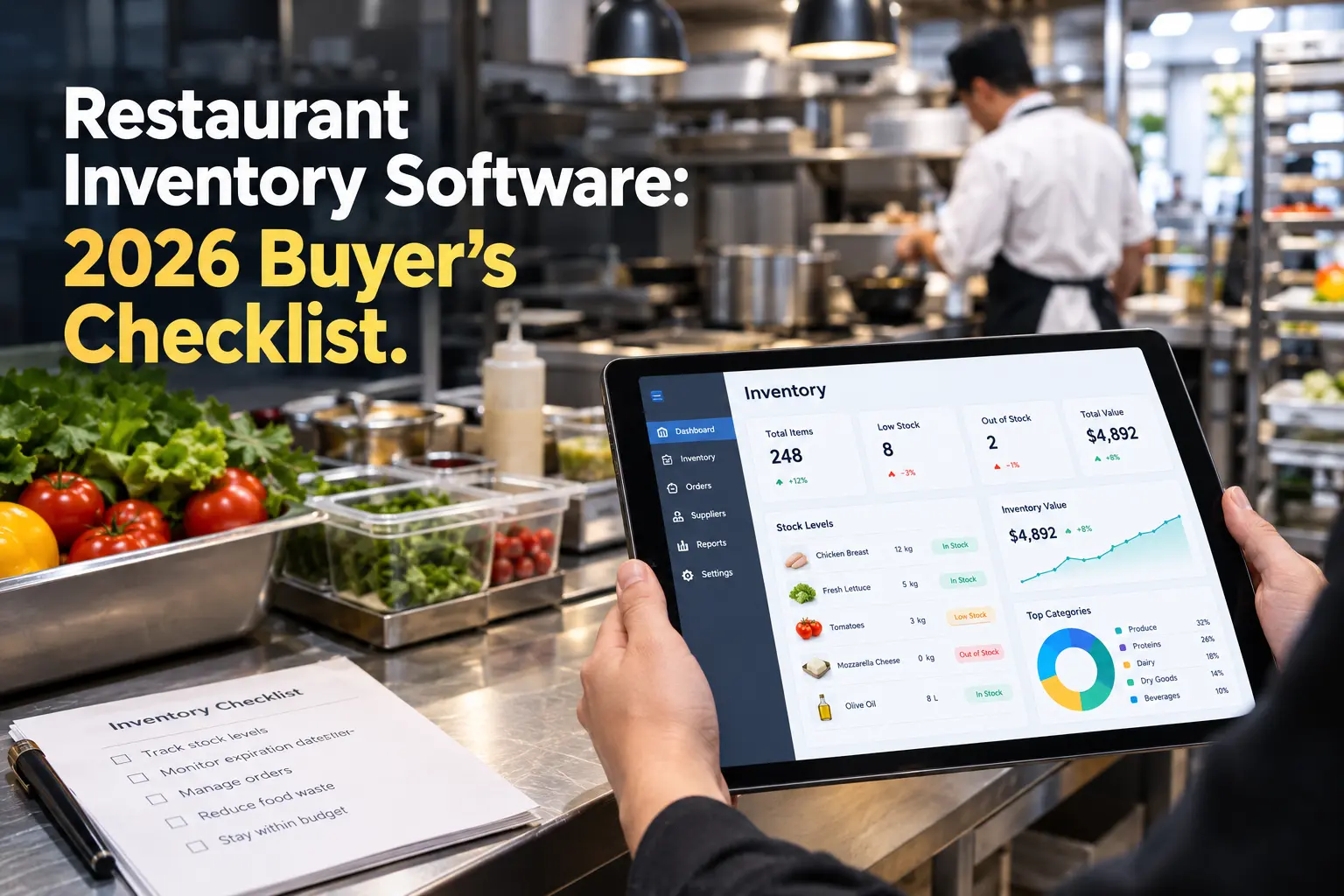
Quick Answer: How Do You Compare Restaurant Inventory Management Software?
To compare restaurant inventory management software, score each option on six criteria: core features (real-time tracking, recipe costing, variance reports), POS and accounting integrations, purchasing tools, reporting, total cost (including setup and hardware), and ease of use and support. Weight the criteria by your priorities, demo your top three vendors, and choose the one that best cuts food cost and waste.
Introduction
Roughly 5%. That’s the pre-tax profit margin of a typical restaurant, according to the National Restaurant Association (NRA). And the median full-service operator sits even lower, at 2.8% of sales in the NRA’s 2025 Operations Data Abstract. With margins that thin, a few missed invoices or a case of spoiled produce can wipe out a good week. I’ve seen operators lose thousands to inventory problems they never spotted until the month-end numbers landed. Sound familiar?
The right software can change that. But here’s the catch: dozens of tools promise tighter food cost control, smarter ordering, and less waste, and they all look fantastic in a demo! So how do you compare restaurant inventory management software without drowning in feature lists and sales pitches? You use a checklist. This guide walks you through what to evaluate, which questions to ask vendors, and how to spot the tool that fits your kitchen, your team, and your budget.
Why Restaurant Inventory Management Software Is Worth the Investment
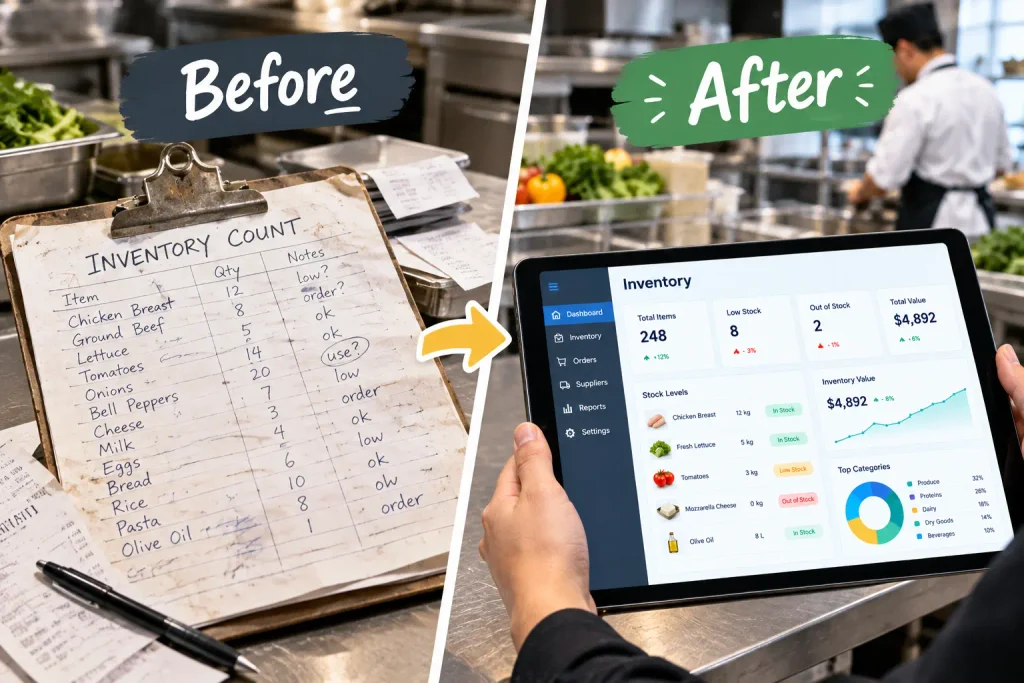
Manual counts feel free. They aren’t. Every hour a manager spends with a clipboard is an hour not spent on the floor, and every miscounted case quietly distorts your food cost percentage.
The pressure is only growing. The NRA reports that average hourly earnings of restaurant employees are up 41% from pre-pandemic levels, while wholesale food prices have risen 35%. When both of your biggest cost lines climb like that, waste and over-ordering hurt more than ever. You can read the full breakdown in the NRA’s analysis of elevated restaurant costs.
The real cost of spreadsheets and paper counts
- Human error in counting and data entry adds up fast.
- Delayed numbers mean you find problems weeks after they happen.
- Shrinkage, over-portioning, and waste stay invisible without usage data.
What software changes
- Real-time inventory tracking shows what you have and what you’ve used.
- Variance reporting exposes the gap between what you should have used and what you actually did.
- Automated counts and alerts save management hours every week.
Signs it’s time to switch
- Your food cost swings and nobody can explain why.
- You over-order “just in case” and throw product away.
- Inventory takes hours, so it only gets done monthly, or not at all.
Who benefits most: single-location owners, multi-unit groups, ghost kitchens, and caterers all see gains, though the priorities differ. If you want a closer look at how a dedicated tool handles counts and tracking, take a look at Genius Food Purchasing’s inventory solution.
Must-Have Features to Look for in Inventory Management Software
Feature lists can run a mile long. Focus on the ones that directly protect your margins.
- Real-time tracking and automated counts. Stock levels should update as you receive, use, and waste product.
- Recipe and menu costing. Your system should calculate plate costs automatically and update them when ingredient prices change.
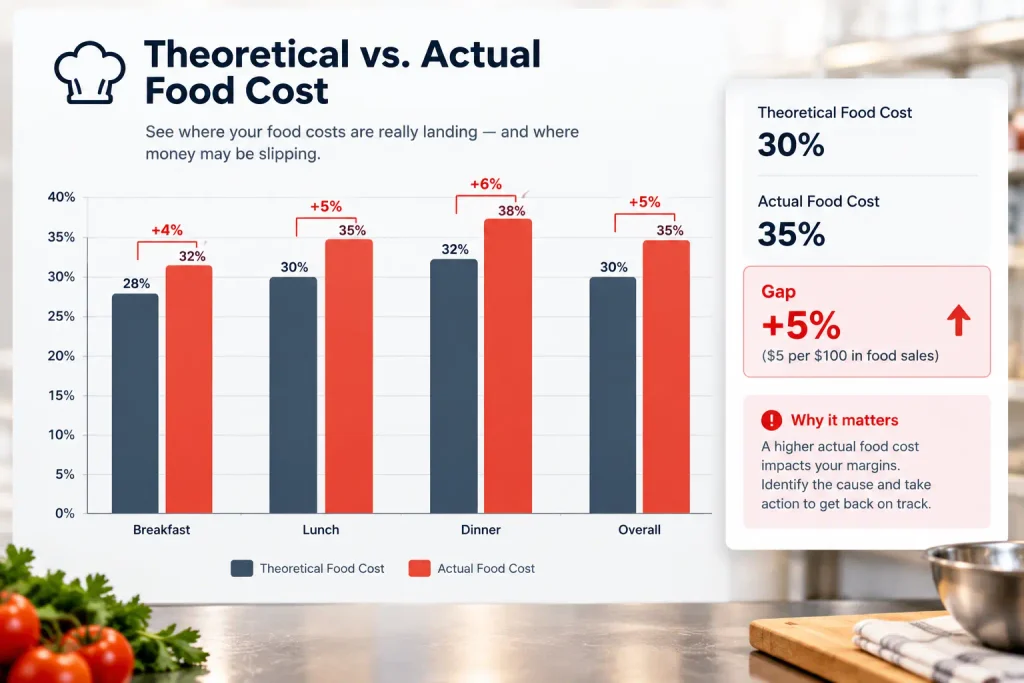
- Theoretical vs. actual food cost. This variance report is arguably the most valuable output. It shows where money leaks.
- Par levels and low-stock alerts. Set target quantities and get notified before you run out or overbuy.
- Waste and spoilage logging. You can’t reduce what you don’t measure.
- Mobile app and barcode scanning. Faster counts mean counts actually get done.
- Multi-location and multi-user support. Look for role-based permissions, centralized reporting, and shared item libraries. If you run several venues, this guide for multi-unit operators covers what to prioritize as you scale.
Pro tip: Separate “must-haves” from “nice-to-haves” before you sit through a single demo. It keeps flashy extras from steering the decision.
How to Evaluate POS and Accounting Integrations
Inventory software without good integrations is just another spreadsheet with a nicer interface.
Why POS integration matters
- Sales data drives ingredient depletion. When a burger sells, the software should deduct the bun, patty, and cheese automatically.
- Weak or delayed syncing produces inaccurate theoretical usage, which makes variance reports useless.
Accounting sync
- Check for connections to QuickBooks, Xero, or whichever platform your bookkeeper uses.
- Invoice and COGS data should flow over without re-keying.
Vendor and distributor connections
- Ask whether the platform supports EDI or online ordering with your main suppliers.
Questions to ask
- Which POS systems do you integrate with natively, and which need a third-party connector?
- Is there API access if we need custom connections?
- Who supports the integration when something breaks?
Red flags: manual CSV uploads, “coming soon” integrations, and vague answers about sync frequency.
Purchasing, Ordering, and Supplier Management Capabilities
Inventory and purchasing are two sides of the same coin. Knowing what you have is only half the job. The other half is buying smarter.
- Automated purchase orders and approval workflows. Generate orders from par levels and route them for sign-off.
- Invoice capture. Digitizing invoices, ideally with OCR, keeps your cost data current without hours of typing.
- Price-change alerts. A sudden jump in the price of chicken thighs shouldn’t be a surprise you discover next month.
- Vendor price comparison. Compare suppliers on the same item to negotiate from real data.
- Order guides and supplier catalogs. Standardized guides reduce ordering mistakes and speed up the process.
The best platforms connect purchasing data straight back to your food cost goals, so every order supports your target margins. For a real-world example of this trade-off, see how Genius compares to xtraCHEF, an inventory- and invoice-first tool, on purchasing, recipe costing, and POS fit.
Reporting and Analytics That Actually Drive Decisions
Data is only useful if someone can act on it. Fancy dashboards that nobody reads won’t help.
Reports worth having
- COGS and food cost percentage
- Theoretical vs. actual variance
- Usage and waste reports
- Menu profitability and item-level margins
Dashboards vs. deep dives
- Owners often want a quick snapshot across locations.
- Chefs and GMs need item-level detail to fix problems.
- The best tools offer both, with customizable views by role.
Sharing and exporting
- Make sure reports export cleanly for accountants, investors, and franchise partners.
If you operate under a franchise model, consistent cost reporting across units is critical. Here’s a look at food cost software built for franchises and what it should track.
Pricing, Contracts, and Hidden Costs to Compare
The sticker price rarely tells the whole story. Compare the total cost of ownership.
Common pricing models
- Per location
- Per user
- Tiered plans based on features
- Flat monthly subscription
Hidden costs to uncover
- Setup, onboarding, and training fees
- Hardware such as tablets, barcode scanners, or scales
- Charges for extra locations, users, or integrations
- Annual price increases
Contract terms
- Ask about length, auto-renewal, and cancellation policies.
- Find out what happens to your data if you leave.
Calculating ROI
- Estimate your current monthly food cost and waste, then model a realistic improvement, even a small one.
- Divide the software’s total annual cost by your projected savings to find your payback period.
For example, a restaurant with $1.2 million in annual sales that trims food cost by one percentage point saves $12,000 a year. That can cover many subscriptions several times over. (This is an illustration, not a benchmark, so plug in your own numbers.)
Ease of Use, Onboarding, and Customer Support
The most powerful tool in the world fails if your team won’t use it.
- Learning curve. Can a line cook count inventory on a phone after ten minutes of training?
- Onboarding timeline. Ask how long setup takes and whether the vendor helps with data migration and item-library setup.
- Support quality. Look at channels (phone, chat, email), response times, and available training resources.
- Social proof. Read reviews and case studies critically. Ask for references from restaurants similar to yours in size and concept.
A tool that’s slightly less powerful but that your staff actually adopts will beat a complex one that gathers dust.
Side-by-Side Comparison Template
Use this scorecard to compare three to five vendors. Rate each criterion from 1 to 5, multiply by its weight, and total the results.
| Criteria | Weight (%) | Vendor A | Vendor B | Vendor C |
|---|---|---|---|---|
| Core inventory features | 25 | |||
| POS and accounting integrations | 20 | |||
| Purchasing and supplier tools | 15 | |||
| Reporting and analytics | 15 | |||
| Total cost of ownership | 15 | |||
| Ease of use and support | 10 | |||
| Weighted total | 100 |
How to use it
- Adjust the weights to your priorities. A multi-unit group might weight reporting higher, while a small café might weight cost and ease of use.
- Fill it in after demos, not before, so you’re scoring what you saw.
- Have your GM and chef score independently, then compare notes.
Questions to Ask Vendors Before You Buy
Demos are designed to impress. These questions bring out the details.
During the demo
- Can you show this workflow live with my kind of menu, not a sample?
- How does the software handle recipe sub-components, like house sauces?
- What does a typical weekly inventory count look like in your app?
Data and security
- Who owns my data, and can I export it at any time?
- How is data backed up and protected?
Reliability and roadmap
- What’s your uptime track record?
- How often do you release updates, and what’s planned next?
Trial options
- Do you offer a free trial or pilot period so we can test with real data?
Common Mistakes When Choosing Restaurant Inventory Software
Even smart operators trip up here. Watch for these:
- Buying for features you’ll never use. Complexity slows adoption.
- Ignoring staff buy-in. If your team isn’t trained and involved, the rollout stalls.
- Skipping integration checks. Discovering your POS doesn’t sync after you sign is painful.
- Choosing on price alone. The cheapest option often costs more in errors and workarounds.
- Not defining success metrics. Decide upfront what “working” means, such as a target food cost percentage or fewer hours spent counting.
Software choice is only one piece of the puzzle. Many of these missteps overlap with broader buying habits, so it’s worth reviewing these common restaurant procurement mistakes to make sure your process is sound.
Frequently Asked Questions
What is the best restaurant inventory management software?
There’s no single best option. The right choice depends on your size, POS system, menu complexity, and budget. Use a weighted scorecard to compare vendors against your own priorities.
How much does restaurant inventory software cost?
Pricing varies widely by model (per location, per user, or tiered) and by what’s included. Always ask about setup fees, hardware, and add-ons to understand total cost, and get quotes in writing.
Can inventory software integrate with my POS?
Most modern platforms integrate with popular POS systems, but coverage varies. Confirm that your specific POS is supported natively and ask how often data syncs.
How long does implementation take?
Simple setups can take days, while multi-location rollouts with large item libraries can take several weeks. Ask vendors for a realistic timeline and what help they provide with data migration.
Is inventory software worth it for a small restaurant?
Often, yes. Thin margins make waste and over-ordering costly, and the right tool can save hours each week. Independent operators should look for simple, affordable systems, and this resource for independent restaurants is a good place to see what’s a fit.
Conclusion
Choosing software isn’t about finding the “best” tool. It’s about finding the best fit for your restaurant. When you compare restaurant inventory management software with a clear checklist, you cut through the noise and focus on what moves the needle: accurate counts, smarter purchasing, and lower food costs.
Start by listing your must-haves. Score each vendor. Ask tough questions during demos, and don’t skip the reference calls! Your margins will thank you.
Ready to take control of your food costs? Explore how Genius Food Purchasing can help you streamline ordering and cut waste, or get in touch to talk through your options.